7. Event Settings
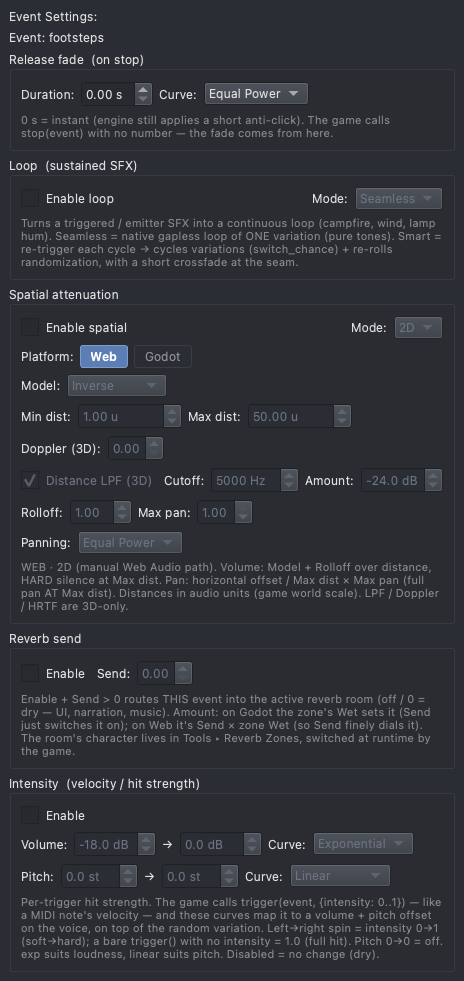
Select an event and the inspector shows Event Settings — the per-event behaviors the engines execute at runtime. Top to bottom: fades, loop mode, spatial attenuation, reverb send, intensity.
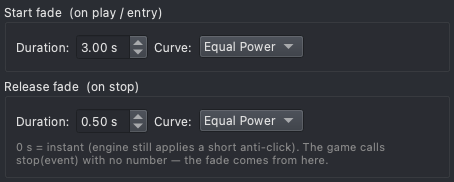
7.1 Start fade (on play / entry)
Fade-in applied when the event starts. Duration 0–10 s, Curve
Equal Power / Linear / S-Curve / Exponential / Logarithmic.
If the event is an advanced-mode music event whose node graph has an entry fade node, the panel shows "⚠ Controlled by the node graph (entry node)" — author the intro fade in the Node Editor instead (ch. 6.4).
7.2 Release fade (on stop)
Fade-out applied when the game stops the event:
PFA.stop("music_forest") # no duration argument — it comes from here
The game never passes a fade time; the release fade is authored, not
coded. 0 s means instant — the engine still applies a short anti-click
ramp so hard stops don't pop. The release fade is also what the engine uses
when the game retires a voice without naming a fade: destroying a
positioned emitter, stopping a spatial loop. Polyphony eviction (ch. 4.1)
is the exception — an evicted voice ends through a short fixed anti-click
seam so the cap can act at once.
For sustained/looping SFX give this a real value (0.15–0.6 s) — a bare cut in the middle of a waveform is audible even with the anti-click floor.
7.3 Loop (sustained SFX)
Turns a triggered SFX into a continuous loop (campfire, wind, lamp hum, rolling ball). Enable loop + Mode:
| Mode | Behavior | Use for |
|---|---|---|
| Seamless | Native gapless loop of ONE variation | Pure tones and steady textures (hums, drones, fire beds) |
| Smart | Re-triggers each cycle with a short crossfade at the seam — rotates variations (switch chance) and re-rolls randomization | Anything organic: wind gusts, crowd, chimes, crickets |
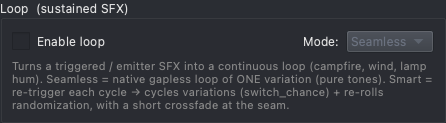
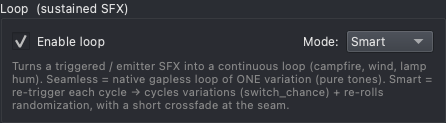
The 3D demo uses both on purpose: fireplace is seamless; windchimes and
cricket are smart so their cycles never repeat literally.
The loop you trim is the loop that ships: on export a looping clip's window is baked into the audio file itself (ch. 11.2), so the seam you audition in the editor is the seam the game plays — the same window on both engines. The 80 ms crossfade at a Smart seam is shaped per player (equal-power in the editor, linear gain in the web engine, dB-linear in Godot): the same character, not a bit-identical curve.
The game stops a looping SFX with stop(event) (release fade applies), or
by destroying its emitter for positioned loops.
7.4 Spatial attenuation
Positional audio, authored per event — the game only supplies positions.
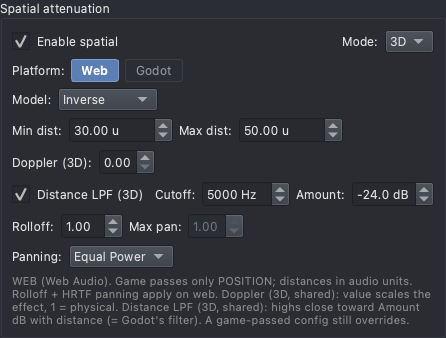
- Enable spatial + Mode
2D/3D. - 2D — for flat games: horizontal panning + distance attenuation in a plane. Pan = horizontal offset / max distance × Max pan.
- 3D — full distance model with z; adds HRTF panning (web), Doppler and distance low-pass.
- Model — attenuation curve over distance (
Inverse/Linear/Exponential; the Godot tab offers Godot's native equivalents). - Min dist / Max dist — attenuation starts at min and reaches silence at max. Units are your game's world units (the engine takes a world-scale factor at init), so author distances in the scale you actually use. Godot 2D has no min distance — attenuation starts at the source.
- Rolloff (web · Godot 2D) — steepness multiplier for the model. Godot 3D has no rolloff exponent — shape the curve there with the native Model and Min dist instead.
- Max pan — 0–1, how hard the sound may pan at the edges (web 3D ignores
it — the
PannerNodealways pans fully). - Panning (web) —
Equal PowerorHRTF (3D)for binaural rendering. - Doppler (3D) — 0–2, pitch shift from relative motion. The value scales the web effect; on Godot any value > 0 enables the engine's native physical doppler.
- Distance LPF (3D) — air absorption: Cutoff (100–20000 Hz, default 5000) and Amount (−60–0 dB, default −24) reached at max distance.
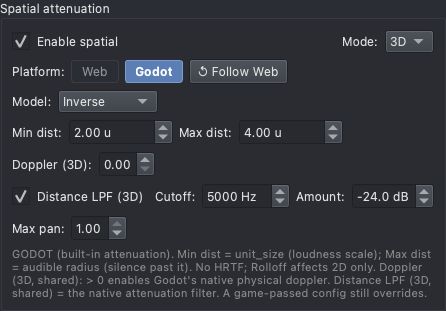
Web and Godot tabs. The Web values are the canonical character. Godot follows them automatically until you edit anything on the Godot tab — that authors a Godot-specific override (Godot's native attenuation sounds different, so matching by ear per platform is sometimes worth it). ↺ Follow Web removes the override and re-links.
In the game, a positioned one-shot is a single call; a looping source is an emitter — create it, feed it positions, trigger it, and its voices follow. Everything else comes from this panel:
PFA.trigger_spatial("ball_hit", pos.x, pos.y)  # one-shot at a position
var em = PFA.create_emitter_2d("fireplace")    # looped emitter
em.set_position_2d(pos.x, pos.y)
em.trigger()
pfa.triggerSpatial('ball_hit', x, y);   // one-shot at a position
const em = pfa.createEmitter();         // looped emitter — no event yet…
em.setPosition2D(x, y);
em.trigger('fireplace');                // …the web dialect names it here
These are the 2D calls; the 3D twins are trigger_spatial_3d,
create_emitter_3d and set_position_3d (web: pass a z, use
setPosition3D). A moving object keeps updating its emitter's position and
live voices follow. em.destroy() stops them with the authored release fade
(ch. 7.2).
Note: the editor preview plays events dry/centered — spatial placement is a runtime behavior. Audition it in the demo games or over Live Connect.
7.5 Reverb send
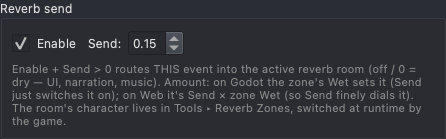
Enable + Send (0–1) routes this event into the active reverb zone. Off (or 0) = dry — the right choice for UI, narration and most music. The character of the room lives in the project's Reverb Zones library (ch. 8); the game switches zones at runtime.
Platform nuance (from the panel hint): on Web the heard amount is
Send × zone Wet (fine per-event control); on Godot the zone's Wet sets the
level and Send effectively switches the routing on.
7.6 Intensity (velocity / hit strength)
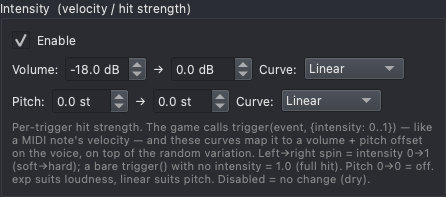
Intensity is per-trigger hit strength — a MIDI-velocity analog. The game
passes 0..1 with the trigger; these curves map it onto the voice:
- Volume — dB at intensity 0 → dB at intensity 1 (−60…+24 dB), with a
curve (
Linear / Exponential / Logarithmic / S-Curve). - Pitch — semitone offset range (−24…+24 st), with its own curve.
0 → 0= pitch untouched.
PFA.trigger("ball_hit", {"intensity": impact_speed / max_speed})
pfa.trigger('ball_hit', { intensity: impactSpeed / maxSpeed });
A bare trigger() means intensity 1.0 (full hit). Exponential suits
loudness, linear suits pitch. Intensity stacks on top of per-trigger
randomization (ch. 5.4): randomization gives life, intensity gives meaning.
The Billiards demo drives all five events this way — cue strength, ball
impacts, cushion hits — from −18 dB → 0 dB on an exponential curve: soft
kisses whisper, breaks crack.
7.7 Cooldown & polyphony
Cooldown (0–5000 ms) and Max voices (1–32) are edited in the track panel for SFX events but apply to the whole event — see ch. 4.1.